Detach Plan
The Detach Plan action is available for Single SIMs or Multiple SIMs displayed in the SIMs table. When you detach a SIM from a plan(s), all services are discontinued, and the SIM cannot be used until it is attached to plan.
IMPORTANT: When a SIM is detached froma plan, all remaining balances are lost with no monetary compensation.
A screen capture of the Detach SIMs dialog box is shown here.
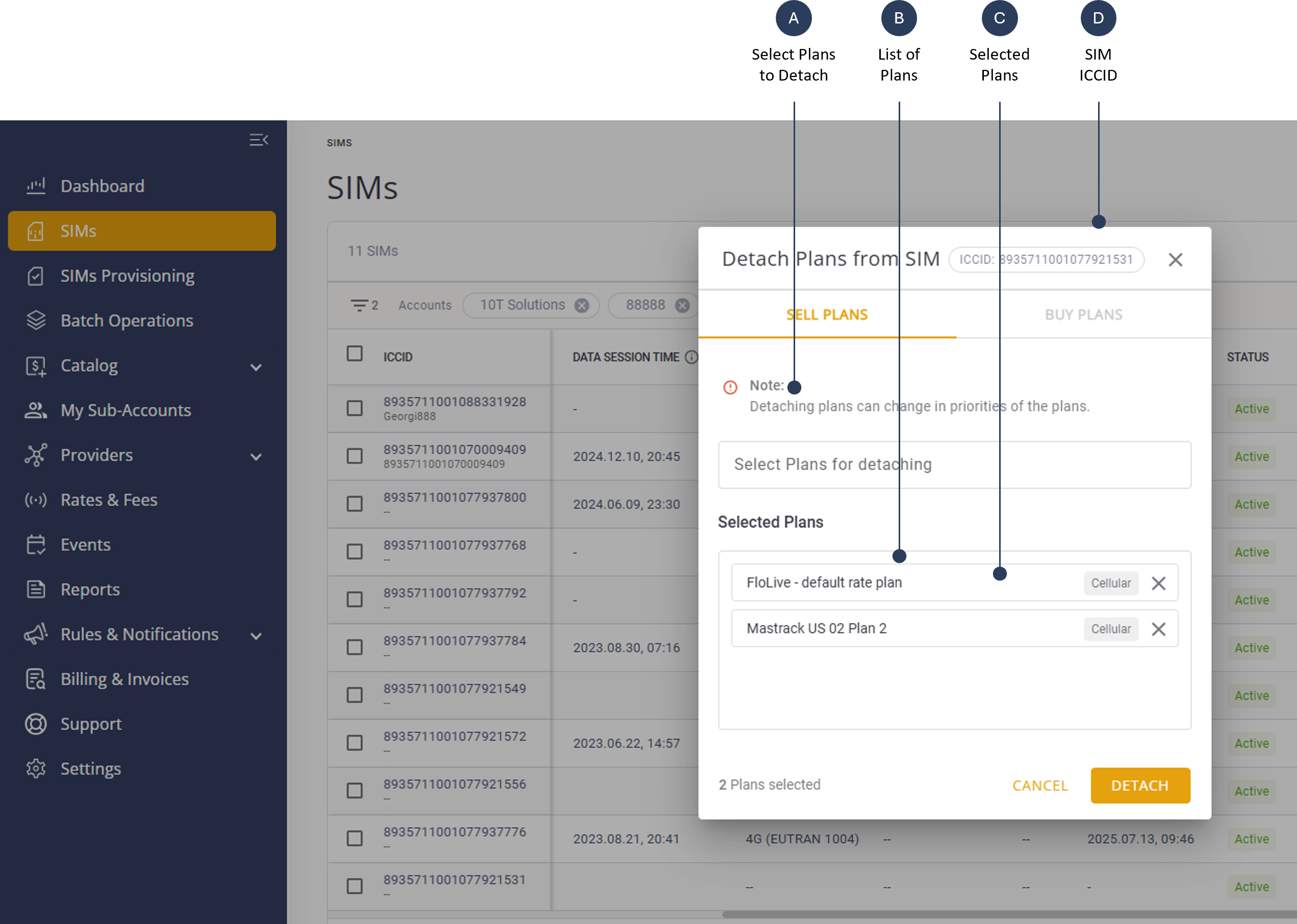
To detach a SIM from a plan, do these steps:
- Select SIMs from the sidebar menu.
- Select a SIM from the table and click the Actions control for the selected row.
- Click Detach Plan to display the detach dialog box.
- Click Selected Plans and select one or more plans from the list.
- Click Detach to detach the SIM from the selected plans.